Building Rocky: A Personal AI Assistant with OpenClaw
I wanted an AI assistant that could actually do things—not just chat. Something that could manage my Todoist tasks, check my calendar, control my smart home, and help me stay organized. After experimenting with various approaches, I landed on OpenClaw running on a dedicated NixOS machine.
Meet Rocky.
Why “Rocky”?
Project Hail Mary is my favourite book. I loved how Rocky wasn’t a generic humanoid alien—he was something creative and completely different. The name felt right for an AI assistant: a resourceful problem-solver who becomes an unexpectedly good collaborator.
What Rocky Can Do
After a few weeks of iteration, Rocky handles:
- Task Management — Creates, updates, and comments on Todoist tasks. We chat back and forth in task comments.
- Calendar Awareness — Knows my schedule, alerts me to upcoming events, helps with time blocking.
- Smart Home Control — Arms/disarms alarms, controls lights, checks if I left the espresso machine on.
- Email Access — Reads my maildir (read-only), summarizes newsletters, tracks follow-ups.
- File Operations — Writes code, manages configs, drafts blog posts (like this one).
The key insight: Rocky isn’t trying to be a general-purpose chatbot. It’s a specialized assistant with specific capabilities and clear boundaries.
The Architecture
┌─────────────────────────────────────────────────────────────┐
│                        Channels                              │
│       WhatsApp  •  Discord  •  Todoist Webhooks             │
└─────────────────────────┬───────────────────────────────────┘
                          │
                          ▼
┌─────────────────────────────────────────────────────────────┐
│                      OpenClaw Gateway                        │
│   • Message routing     • Session management                 │
│   • Heartbeat polling   • Cron jobs                         │
└─────────────────────────┬───────────────────────────────────┘
                          │
                          ▼
┌─────────────────────────────────────────────────────────────┐
│                     Claude (Anthropic)                       │
│   • Reasoning          • Tool use                           │
│   • Context management • Skills                             │
└─────────────────────────┬───────────────────────────────────┘
                          │
                          ▼
┌─────────────────────────────────────────────────────────────┐
│                         Tools                                │
│   Todoist API  •  Home Assistant  •  NFS Mounts  •  SMTP    │
└─────────────────────────────────────────────────────────────┘
OpenClaw acts as a gateway between messaging platforms and the AI model. It handles:
- Multi-channel routing — Same assistant across WhatsApp, Todoist, Discord
- Session persistence — Maintains conversation context
- Heartbeat polling — Periodic check-ins for proactive work
- Tool execution — File operations, shell commands, API calls
Security First: Why Rocky Gets Its Own Computer
Here’s something important: giving an AI full access to your computer and cloud services is a bad idea.
AI agents can run arbitrary code. They can make API calls, write files, execute shell commands. They hallucinate. They misunderstand. They occasionally do exactly what you asked—which turns out to be the wrong thing. Giving that capability to something running on my main machine, with access to all my data, credentials, and connected services? Absolutely not.
Instead, Rocky runs on a dedicated NixOS box (neptune)—its own full computer, completely isolated from my Mac, my servers, everything else I use.
This changes the security model fundamentally:
- Blast radius is contained — If Rocky does something destructive, it only affects Neptune
- Controlled access — Rocky only sees what I explicitly share: read-only NFS mounts for email and documents, read-only calendar feeds, API tokens scoped to specific services
- Read-only by default — If Rocky only needs to read something, it gets read-only access. No write permissions “just in case.”
- Gradual expansion — I started with almost nothing and add capabilities one at a time as we build trust
The philosophy: Rocky earns access through demonstrated competence, not by being granted full access upfront. Every new capability is a conscious decision—do I trust Rocky with this? What’s the worst that could happen?
This is more work than just running an AI on your laptop. But it’s the right tradeoff. I want a capable assistant, not a liability.
What We Learned
After a few weeks of daily use, some patterns emerged:
Skills Keep Context Small
Early on, I tried cramming everything into Rocky’s system prompt. Calendar instructions, Todoist workflow, email rules, smart home commands—it became a mess.
The fix: skills. Each capability lives in its own folder with a SKILL.md file:
skills/
├── todoist/SKILL.md
├── homeassistant/SKILL.md
├── whoop/SKILL.md
└── blog/SKILL.md
Rocky only loads a skill when it’s relevant. Asking about fitness? Load the Whoop skill. Managing tasks? Load Todoist. This keeps context focused and prevents the “everything everywhere” problem.
Model Selection Matters
OpenClaw lets you pick models per-session. We settled on:
- Claude Opus — Main session, complex reasoning, important decisions
- Claude Sonnet — Sub-agents, background tasks, simpler work
Sonnet handles 80% of tasks at a fraction of the cost. Opus steps in when Rocky needs to think harder—planning multi-step work, making judgment calls, understanding nuanced requests.
The cost savings are real. Sub-agents that sync data, process emails, or run cron jobs don’t need the heavy model.
Workspace-Based Memory
Rocky wakes up fresh each session—no persistent memory. Instead, it reads workspace files:
SOUL.md— Personality and principlesUSER.md— Who I am, my preferencesMEMORY.md— Accumulated knowledge and lessonsmemory/*.md— Daily logs and topic notes
This sounds awkward, but it works. Rocky reads the files, gets the context, and picks up where we left off. Corrections stick because they get written to MEMORY.md. Patterns get documented.
It’s like giving a new team member a detailed onboarding doc—except the doc gets better over time.
Channel Discipline
A hard-learned rule: conversations stay in the channel where they started.
If we’re chatting in Todoist comments, Rocky doesn’t summarize to WhatsApp. If I message via WhatsApp, replies come back there. Cross-posting creates noise.
This took some training (Rocky kept wanting to be “helpful” by posting updates everywhere), but now it’s a firm boundary.
Read-Only Where Possible
Rocky has read access to my email via NFS mount—but it’s read-only. It can search, summarize, and track follow-ups, but can’t delete messages or send from my account.
Same principle everywhere: give access to what’s needed, in the most restricted way possible. Rocky can read my calendar but not create events. Rocky can query Home Assistant but only control specific devices.
Expand access slowly. When something breaks, you want a small blast radius.
What Surprised Me
Proactive beats reactive. The heartbeat system—where Rocky checks in every 15 minutes—is more valuable than I expected. It notices things (upcoming events, overdue follow-ups) without me asking.
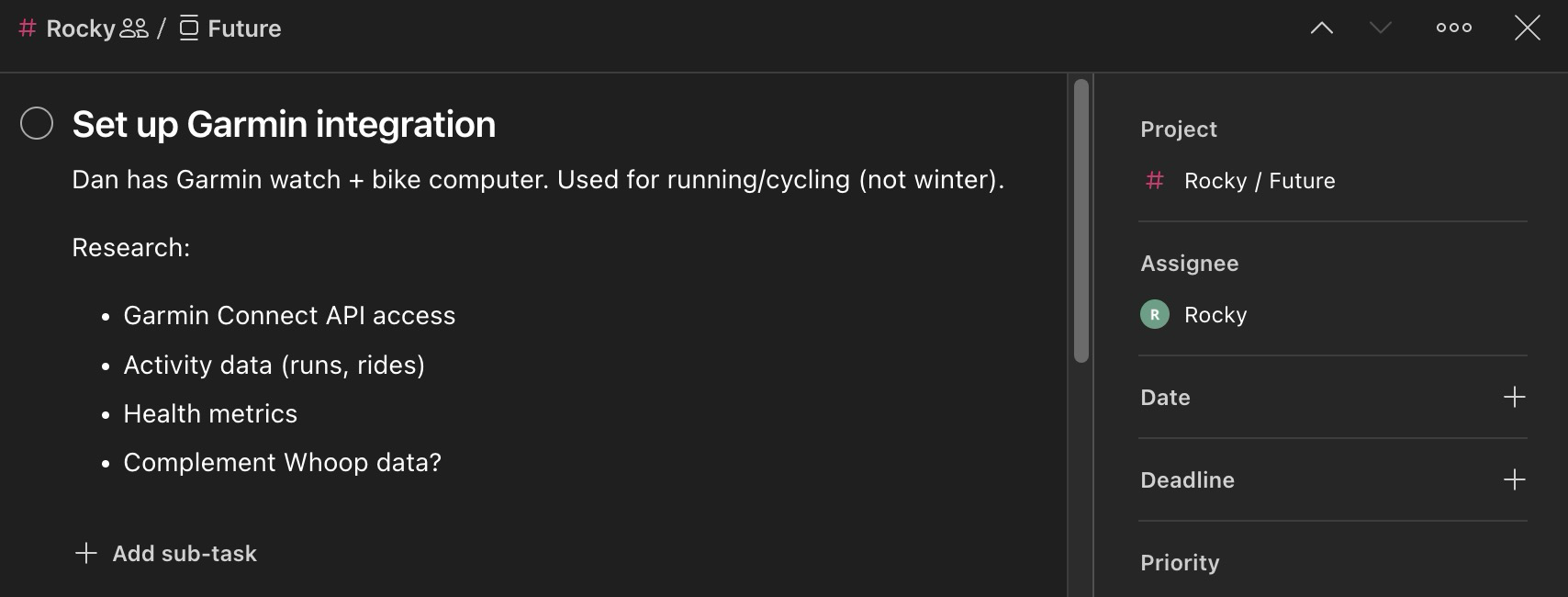
Todoist as a chat interface. Task comments work great for async collaboration. I create a task, Rocky comments with progress, I reply with feedback. Threaded conversations organized by topic.
Memory files actually work. I was skeptical that “read these markdown files” would create continuity. But Rocky genuinely learns from corrections and remembers context.
Boundaries matter more than capabilities. The hardest part isn’t giving Rocky new abilities—it’s defining clear rules about when and how to use them.
Rocky isn’t finished—it’s a continuous project. But it’s already useful enough that I’d miss it if it disappeared. That’s the bar for a personal AI assistant: not impressive demos, but genuine daily utility.
Amaze.